Social Media Account Disabled? How to Protect Your Business Before You're Locked Out
Picture this. It's Tuesday morning. You open Facebook and it says your account has been disabled. You open Instagram: locked. LinkedIn: restricted. TikTok: nothing. Maybe someone got into your email and changed everything. Maybe a bot decided you broke a rule you've never heard of. It doesn't matter. Everywhere you show up, the door is locked, and the only thought in your head is: what do I do now?
Before we go any further, one question. If every social account you own vanished tonight, how many people could you email tomorrow morning? If the honest answer is "I don't know," or "I'd have to log in and find out," stop and go back to the last drill. Export your email list. It takes ten minutes, and the file belongs somewhere you physically control, not only inside your email platform.
Here's why I keep pushing this. Your social followers are not yours. You're renting a booth in someone else's mall, and the landlord can change the locks without telling you. That CSV file on your own computer is different. It's the customer file in your own filing cabinet. If you don't have a copy, you aren't physically holding your asset.
The alarm: how social media access gets lost
- A suspension with no explanation. The notice says "violating community standards," nobody tells you which one, and your appeal disappears into a black hole.
- A hack. The password changes, the email changes, and recovery codes go to the hacker or to a phone number you haven't had in three years.
- A helper who owns the login. A VA, an agency, or a former employee set everything up under their own login and moved on.
- One admin, one profile. Your Facebook page has exactly one admin, your personal profile gets disabled, and the page goes with it.
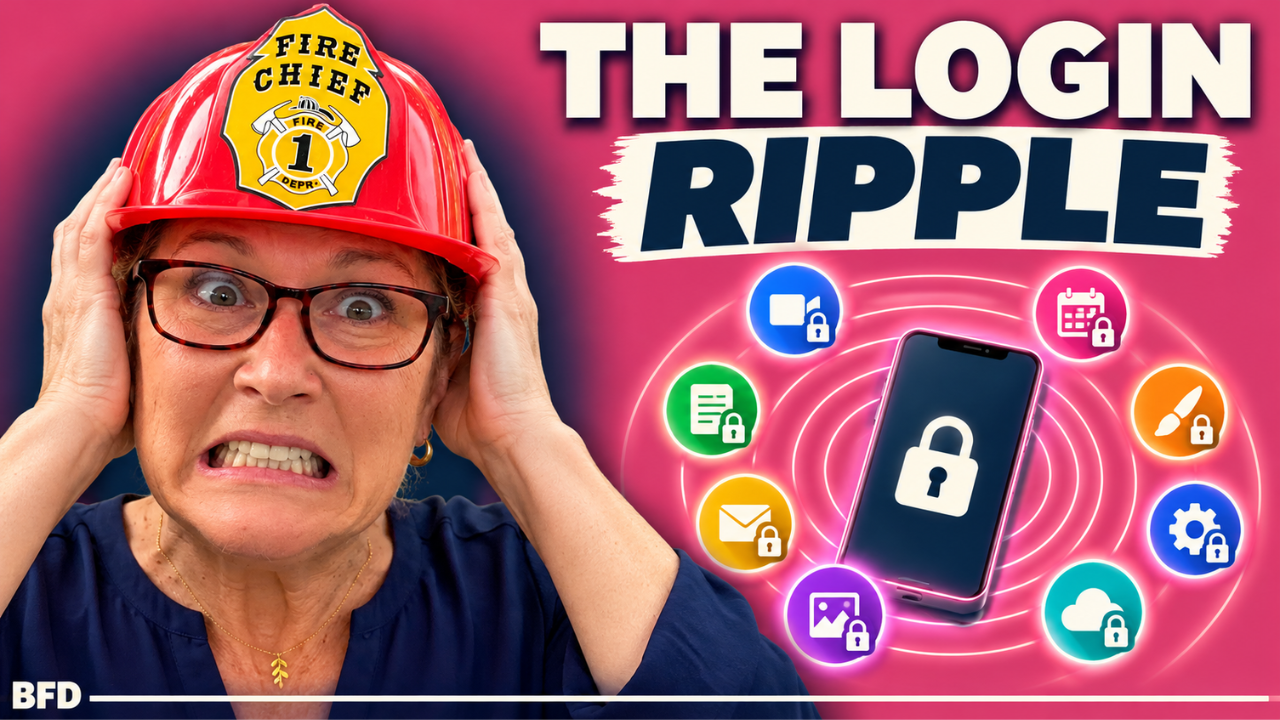
- The ripple effect. Years ago, a lot of us signed up for tools with a "Log in with Facebook" or "Log in with Google" button. Lose that account and you lose every tool you logged in to through it. I'm in this boat myself: my Zoom account is tied to my Facebook login, so locking me out of one would lock me out of the other.
The common thread: nobody wrote down who owns what, or what's connected to what.
Reacting or responding?
Reacting is creating a brand new account the same afternoon (some platforms can treat that as dodging a ban), ranting in public, clicking an email that says "Meta Support, verify now," or answering the stranger in your DMs who promises to get your account back for a fee. Please don't pay recovery "specialists" who find you that way. And submitting the same appeal fifteen times can make things worse.
Responding is having one set place with a recovery sheet, knowing who else has admin access, and holding a current copy of your email list so that tomorrow morning you can write to it and say, "Here's where to find me." It's the dog-grooming lesson again: when we got our first dog, the breeder told me to book the groomer, but also to know how to bathe the dog myself in case something happens. Your social media manager is the groomer. You still need to know the recovery path and have the paperwork.
Run the DRILL for a social media lockout
- D: Don't react. No new accounts, no public rants, and no clicking anything that arrived by email or DM. Go to the platform's official help page yourself.
- R: Record everything. Screenshot the notice, write down dates, times, and every appeal you submit, and keep a recovery sheet for each platform. Also write down what else you log in to through that account.
- I: Identify the real risk. Is it a hack, a policy flag, a false positive, or a platform-wide problem? A hack means securing your email first. A policy flag means appealing with proof you own the account. And trace the ripples: what else just went down with it?
- L: Lead with calm. One clear, polite, factual appeal through the official channel. Not forty, and not a public post. Panicking in a group of 10,000 entrepreneurs puts a target on your back, because people go fishing in a stocked pond.
- L: Lock in the lesson. Use this as your trigger to build the channels you own: your email list, your website, places your landlord can't lock you out of.
Not sure who has access to your accounts? Go use the Smoke Detector. It's free, it's 11 questions, and it takes about three minutes. It shows you where the smoke is, and it will flag more than just this topic. Take the Smoke Detector.
The fire extinguisher: build this before the fire
The one-page recovery sheet. One per platform. "Write it down" can be digital: a document, a spreadsheet, a secure note. But my rule for anything that could bring down your life, your finances, or your business is that it also goes on paper, kept somewhere secure. If your password manager goes down or you're locked out of your email, a sheet that only lives online locks you out right along with everything else. Here's what goes on it:
- The account name and URL
- The email and phone number tied to it, and the original email you signed up with
- Who else has admin access
- Where your authenticator app lives and where your backup codes are saved, offline and not in the account you're locked out of
- For any business page or ad account: the page and ad account IDs, plus a recent ad invoice or your business paperwork. When Meta handles a lost-page dispute, they have asked for government ID, a signed letter, and proof of business ownership, so have those findable
Your everyday passwords can stay in your password manager. The keys to the keys, like your password manager's master login and your backup codes, get a paper copy. And notice what this shows: some fires aren't one combustible thing. Your social accounts hang on your email, your email hangs on your phone number, your phone holds your authenticator, and your password manager sits behind all of it. One hack or one lost phone, and everything goes up at once.
The ripple check. For each account, add two lines: how do I log in here (email and password, or a button like "Log in with Facebook" or "Log in with Google"), and what else did I log in to using this account? Think back to the early days of your business: a scheduling tool, a design tool, Zoom, or the time you tapped "Log in with Instagram" because it was right there on your phone. Inside each platform's settings, look for connected apps and websites. Menus change, but it's usually under security or connected apps. The fix is easy, and you do it before the fire: go into those tools while you still have access and add a direct login with your business email and a password in your password manager. Then pause before clicking a quick-login button on anything new, and track it.
Four habits that go with it:
- Log in with a business-owned email and protect it like the master key it is. Almost every recovery starts there.
- Use an authenticator app instead of text messages, and save your backup codes. When you get a new phone, don't turn off the old one until the authenticator is working on the new one.
- Keep at least two people with full control on any business page, and when you stop working with someone, remove their access.
- Export your email list. Yes, again. It's the one file that lets you walk away holding your audience.
If the fire is already burning: secure your email first, then list what else you log in to through that account so you know what's about to break. Take screenshots, file the official appeals, stick to the official channels, and don't panic in public. Quick notes (menus change, so check the current help pages): for Facebook and Instagram, start from the official login help screen on a device and in a location you normally use, and expect that Meta may ask for a short video selfie. For a Facebook page, someone else with full control can restore your role; if nobody can, there is a business support dispute process that asks for documents. There is also a deadline to appeal a disabled personal account, so don't sit on it. For LinkedIn, use the official help form and keep it short, polite, and factual. For TikTok, use the appeal option in the ban notice, or the "Report a problem" form if you've lost your email or phone, and remember that if you signed up with Google, Apple, or Facebook, recovery runs through that account first.
Your next right decision
One: do nothing. You have your recovery info, a second admin, and a current export of your email list. You're good. Two: put the drill in place. If being locked out of social media would bring down your life, finances, or business, start with a simple export of your email list, then build the recovery sheet. Three: send this to a friend. Anyone who treats social media as their whole business is one suspension away from finding out how little control that gives them.
Free homework: pick your most important platform, open a blank document, and fill in the recovery sheet, including the ripple check. Then export your email list as a CSV and save it somewhere that isn't your email platform. A platform can change its rules, get hacked, or make a mistake, and none of that is in your control. What is in your control is whether that platform is the only way anyone can find you.
Keep Exploring
- Email Account Suspended? How to Protect Your Email List Before You're Locked Out
- Locked Out of Your Website? How to Protect the Place Where You Sell Before It Goes Dark
- Launch Week Money: Why Your Biggest Launch Can Leave You Short
Listen to the Business Fire Drills Podcast
Want the full library? Explore the Bizlebox Fire Drills. The best time to do a fire drill is before the fire.
Every business decision is impacted by legal — and we want those impacts to be positive.
If you’re building, creating, or using AI in your business, get my latest briefings directly in your inbox.
I’ll help you stay clear, compliant, and calm.
I send thoughtful updates — never spam. You can unsubscribe anytime. Emails are for education, not individual legal advice, and help you stay clear on the business impacts of law and your choices.